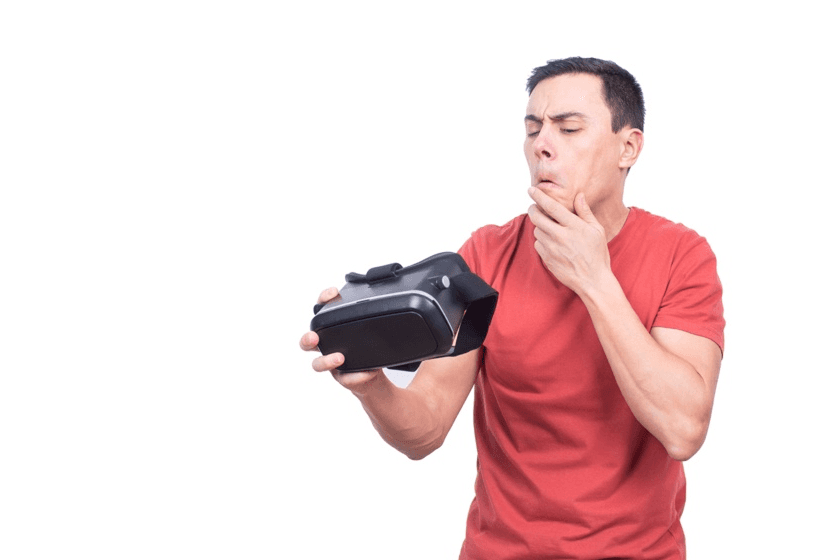
What is Motion Sickness Mitigation in VR?
For motion sickness mitigation in VR, we use methods, designs, and tools to make virtual reality more pleasant. Since VR can cause nausea, dizziness, or eyestrain when what you see doesn't match your body's sense of balance (Source), companies need to fix motion sickness from VR while using it for training. Doing so will keep users comfortable, get more people to use VR, and improve training results.
Why Motion Sickness Mitigation Matters
Motion sickness mitigation in virtual reality involves techniques and tools designed to improve user comfort. By implementing these strategies, organizations can maintain user comfort and ensure that VR training and business applications are both useful and widely accepted.
Defining “motion sickness from VR” in enterprise contexts
Motion sickness from VR, also called VR sickness or cybersickness, occurs when what you see in the headset doesn't match what your inner ear senses (Source). This can be a problem in work settings, as it can limit the amount of time employees can train and decrease the usefulness of training programs. Effective VR sickness remedy is important for keeping employees comfortable and productive.
Training ROI and adoption depend on motion sickness mitigation
For companies investing in VR training, high completion rates and knowledge retention are crucial. If employees drop out due to nausea or eye strain, ROI drops significantly. Effective VR sickness remedy strategies directly improve adoption, reduce wasted resources, and ensure consistent training outcomes.
Myths vs. evidence-based “VR sickness remedy” approaches
Many believe that VR sickness fades with use, but research shows that without design adjustments, some users remain sensitive long-term (Source). Evidence-based methods such as teleport locomotion or reducing camera acceleration are far more effective than assuming tolerance will develop naturally.
When to prioritize “reduce motion sickness VR” over content tweaks
Sometimes the issue lies not in the content but in the experience design. A well-structured VR module that teaches critical skills may still cause discomfort if it has poor frame rates or uncontrolled motion. In these cases, applying reduce motion sickness VR techniques takes priority over rewriting training content.
Motion sickness mitigation is not just about user comfort - it directly impacts enterprise VR adoption, ROI, and long-term scalability.
Causes and Symptoms of Motion Sickness from VR
Motion sickness from VR arises when a person's senses send mixed signals to the brain. If developers and trainers understand the common causes and first signs, they can better avoid these problems and create more user-friendly experiences.
The sensory conflict problem - vection, latency, and frame drops
The most common cause of motion sickness in VR is sensory conflict. When the eyes see forward motion but the inner ear feels stillness, discomfort occurs. Frame drops, high latency, or unstable visuals increase vection - the false sensation of self-motion.
Content factors - locomotion style, acceleration, and camera control
Artificial movement, like joystick-based locomotion or fast camera rotations, is a major trigger. Sudden acceleration or deceleration in VR simulations, particularly in training modules involving vehicles, often causes dizziness. Careful camera control and smooth locomotion design play a major role in motion sickness mitigation.
User factors - susceptibility, session length, and acclimatization
Some individuals are more prone to VR sickness due to inner ear sensitivity or history of motion sickness. Longer sessions without breaks can increase discomfort, while gradual acclimatization protocols can improve tolerance over time.
Early warning signs - nausea, eye strain, cold sweats, and disorientation
Common symptoms include nausea, eye strain, headache, cold sweats, and disorientation. Recognizing these early allows users to pause and recover before discomfort escalates into full sickness.
Understanding these causes and symptoms equips organizations to predict challenges and apply motion sickness mitigation effectively.
Techniques and Tools for a VR Motion Sickness Cure
VR motion sickness cure combines hardware calibration, software adjustments, and user-centered practices. By layering these approaches, enterprises can build reliable VR sickness remedies for employees.
Design choices that reduce motion sickness VR - tunneling, snap turn, teleport
Developers use tunneling (narrowing the field of view during movement), snap turns instead of smooth rotation, and teleport locomotion to reduce discomfort. These techniques minimize sensory mismatch while maintaining immersion.
Performance basics - high FPS, low latency, stable horizon, UI anchors
Stable performance is non-negotiable. VR systems should run at 90 FPS or higher to reduce flicker sensitivity (Source). Anchors like a cockpit frame or horizon line help users orient themselves and reduce vection.
Ergonomics & environment - IPD fit, headset balance, ventilation, seating
Hardware fit plays a key role. Interpupillary distance (IPD) settings, headset balance, and proper ventilation reduce eye strain and physical fatigue. Providing a stable chair can help users stay grounded during intense simulations.
Gradual exposure plans - session pacing, cool-downs, and opt-in comfort modes
Training leaders can design exposure plans that gradually increase session length (Source). Short sessions with breaks reduce discomfort and help employees build tolerance. Offering comfort settings like reduced FOV or seated modes gives users more control.
Supplements & wearables - ginger, acupressure bands, and what evidence says
Some users turn to remedies like ginger or acupressure bands. Although these options might be helpful, research suggests that solutions driven by technology, like frame rate stability or how movement is designed, are more dependable (Source).
By combining design, ergonomics, and pacing strategies, enterprises can create a VR sickness remedy playbook tailored to their workforce.
The Future of Motion Sickness Mitigation
Advancements in VR hardware and AI-driven personalization are reshaping motion sickness mitigation. Emerging tools focus on adapting the experience in real time rather than relying solely on static comfort settings.
Adaptive comfort profiles - real-time tweaks based on user responses
AI systems can track biometric signals such as pupil dilation or head movement and adjust frame rates, FOV, or locomotion instantly to maintain comfort. The goal is to make the experience as immersive and pleasant as possible and by constantly watching and adapting to your body's signals, AI can do this.
Redirected walking & predictive locomotion to ease vection
Redirected walking techniques subtly alter user paths within limited physical spaces, reducing artificial locomotion triggers. Predictive motion rendering ensures smoother transitions when users change direction (Source).
Biofeedback and eye-tracking for early intervention and recovery
Future headsets equipped with biofeedback can detect early signs of VR sickness, like increased blink rate or unstable gaze. Automated prompts for breaks or FOV adjustments can prevent full discomfort.
Cross-device standards for comfort baselines in enterprise rollouts
With multiple headsets in the market, industry standards for comfort settings are needed. Uniform baselines will make it easier for organizations to scale VR training without risking varied sickness levels across devices.
The future of motion sickness mitigation lies in personalization, predictive design, and standardized practices - ensuring VR becomes more inclusive and enterprise-ready.
Looking to explore VR modules that minimize motion sickness?
Talk to our team about how AutoVRse can help reduce motion sickness and improve training outcomes.