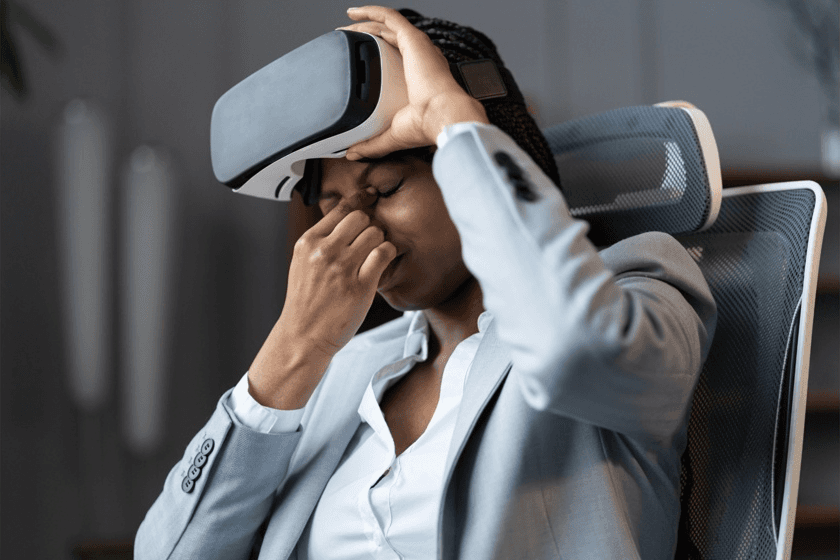
Virtual Reality (VR) is becoming popular in various fields, even with its potential, a key obstacle to conquer is VR motion sickness. This condition results in feelings of nausea, disorientation, and eye fatigue for some users. This blog will examine the phenomenon of VR motion sickness in detail. It seeks to clearly define the condition, investigate its primary causes, and describe possible preventative actions. The end goal is to allow for a more worry-free use of VR in professional and everyday contexts.
What Is VR Motion Sickness?
Motion sickness from VR or VR sickness, happens when people feel dizzy or sick while using a VR headset. This is because the brain gets mixed signals about movement, which can make people feel unwell after using VR.
As companies are using VR for things like getting people up to speed, safety courses, and helping them do their jobs better, preventing VR motion sickness is now important for making sure it works well and that people are comfortable using it.
The Science Behind VR Motion Sickness
VR sickness arises primarily from a disagreement between a person's visual and balance systems. This disagreement is rooted in how our senses usually work together to tell us about our position and motion (Source). Our eyes and inner ears work together to keep us balanced. Specifically, VR dizziness occurs when there's a mismatch between what someone sees and what their inner ear senses in a virtual setting. For example, think about someone using a VR headset that shows rapid forward movement, simulating a roller coaster ride. Visually, the person perceives high-speed motion. At the same time, their inner ear, which detects actual physical movement and balance, reports that the body isn't moving at all. This confusion is thought to be a main reason why virtual reality sickness happens.
Common Causes of VR Motion Sickness
VR motion sickness can result from various things, such as the hardware and user behavior. These things can cause slight unease or serious disorientation (Source). By addressing each cause methodically, companies can find real ways to lower the chance of motion sickness during VR use.
Hardware Issues
Hardware has a big impact on whether VR causes motion sickness. VR headsets that exhibit slow refresh rates, introduce noticeable lag, or offer limited visibility of the user's physical surroundings can negatively impact the user experience, potentially inducing feelings of discomfort or nausea. The Meta Quest 3 and the Varjo XR-4 are often cited as leading examples in mitigating motion sickness due to their capability to render images with greater fluidity and responsiveness (Source). Enterprises that are thinking about applying VR for purposes like employee training and complex simulations can take steps to lower the chances of VR-induced discomfort by choosing advanced VR technology.
Content Design
VR content that's badly made can cause discomfort. Things like shaky cameras, quick scenes, or frame rates that jump around can make people feel sick. Usually, VR games that don't cause sickness use things like teleporting, snap-turning, and steady images to keep players comfortable. If companies want VR training to keep people interested and not make them feel bad, starting with comfort in mind is key.
User Factors
Motion sickness in VR is influenced by a person's physical condition and how much experience they have. People who are new to VR or tend to get seasick, have migraines, or struggle with balance are more likely to have issues. Getting used to VR slowly can assist them to adapt and reduce motion sickness. Recognizing these variations is important to keep VR training open and available to everyone.
Environment
The setting in which people use VR is important. Uncomfortable conditions like poor airflow, tight areas, or a lot of noise can make someone feel worse and increase dizziness. Giving workers comfortable, quiet spaces for VR use can lower nausea and worry. Setting up physical training areas well leads to a safer, more relaxed feel.
By carefully examining the core causes of VR discomfort, such as hardware limits, content design, user traits, and the surrounding setting, groups can act beforehand to lessen these problems. Dealing with these elements at the start can support easier use of VR, letting learners concentrate on what they are taught and avoid motion sickness.
Prevention Strategies That Work
To prevent motion sickness in VR, it's important to consider the type of hardware used, how content is created, and how users interact with the system. Companies should think about ways to make the experience comfortable initially and increase tolerance over time. Here are some ways to deal with motion sickness in VR for businesses and individual users.
Gradual Exposure & Shorter Sessions
For people who are new to VR, it's best to start with short practice times. Instead of starting with an hour of instruction, give them 10–15 minute introductions to help them get used to it. As time passes, this step-by-step approach should help lower any VR sickness and keep them from feeling too bad (Source). When companies provide VR in smaller amounts, it helps staff succeed in the long run.
Comfort-first Locomotion
The way people move in VR greatly impacts whether they feel motion sickness. Technologies like teleportation, snap-turning, and limited acceleration can lower the conflict between what they see and what they feel. On the other hand, designs allowing free movement without options for comfort can make users feel sick. Companies can lessen VR motion sickness in training by selecting movement methods focused on user comfort.
Optimized Hardware
Current VR tech comes with faster refresh rates, wider views, and less delay for smoother use. These upgrades cut down on dizziness and allow for longer use. Picking one of the best VR headsets to avoid motion sickness is key for business use. When comparing leading headsets like the Meta Quest 3 vs Apple Vision Pro, both show remarkable improvements in reducing motion sickness through higher refresh rates and more precise tracking. Advanced hardware makes sure VR sessions are steady and don't cause sickness.
User Habits
Simple habits can ease motion sickness during VR use (Source). Staying hydrated, keeping good posture, cleaning the headset lenses, and taking breaks every 15–20 minutes can all help lessen dizziness. Those new to VR will find it helpful to start with shorter sessions and slowly increase the time spent in VR. Following these simple practices not only helps users build comfort over time but also acts as a practical cure motion sickness VR approach for beginners who might otherwise avoid immersive sessions.
Developer-side Best Practices
Developers are key in preventing VR sickness. Keeping frame rates steady, giving users comfort options, and cutting down on quick camera moves can help. Giving trainees controls they can change lets everyone set things up the way they want. Companies working with VR vendors that know what they’re doing can get simulations made for comfort and growth.
VR Motion Sickness in Training & Workplace Scenarios
Motion sickness VR issues impact not only gamers but also professionals using VR in the workplace. If employees feel dizzy after VR onboarding, they may resist further sessions. By designing enterprise training simulations with shorter modules, comfort-first design, and ergonomic hardware, organizations can maximize engagement while minimizing discomfort.
Future Solutions to Watch
Beyond today’s strategies, several emerging innovations are set to revolutionize how organizations reduce VR motion sickness. AI, cloud computing, and haptics promise smoother and more natural experiences. These upcoming solutions offer enterprises long-term relief from VR sickness symptoms while ensuring scalable adoption.
AI-driven Prediction and Personalization
AI models may soon detect early signs of discomfort and dynamically adjust visuals, locomotion, or rendering. Personalization ensures each user receives an experience optimized for their comfort threshold. AI will transform VR motion sickness management into a proactive, real-time solution.
Cloud/edge Rendering for Smoother Experiences
Cloud and edge rendering minimize latency by processing visuals remotely. This results in more stable frame rates, even on lightweight standalone headsets. As seen in developments in VR, cloud streaming ensures smoother enterprise-scale deployments without compromising comfort.
Haptic Feedback and Multi-sensory Integration Reducing Mismatch
Adding haptics, such as vibration, airflow, or directional sound, makes what you feel match what you see. This lessens sensory conflict, which can cause VR sickness. Coordinating multiple senses might be the way to get rid of motion sickness in VR completely. Together, these innovations represent the next generation of motion sickness VR solutions, enabling enterprises to scale immersive programs without worrying about discomfort or adoption barriers.
Conclusion
Motion sickness is a major issue preventing VR tech from being widely used. VR sickness can be lessened, and long-term growth made possible by businesses through better hardware, content made for user comfort, and user strategies based on facts. As things change in AI, haptics, and cloud rendering, the future shows that VR experiences will have the least amount of sickness and the most effect on training.
CTA: Want to reduce VR motion sickness during VR training?
AutoVRse experts can help you design immersive, comfort-first VR solutions.