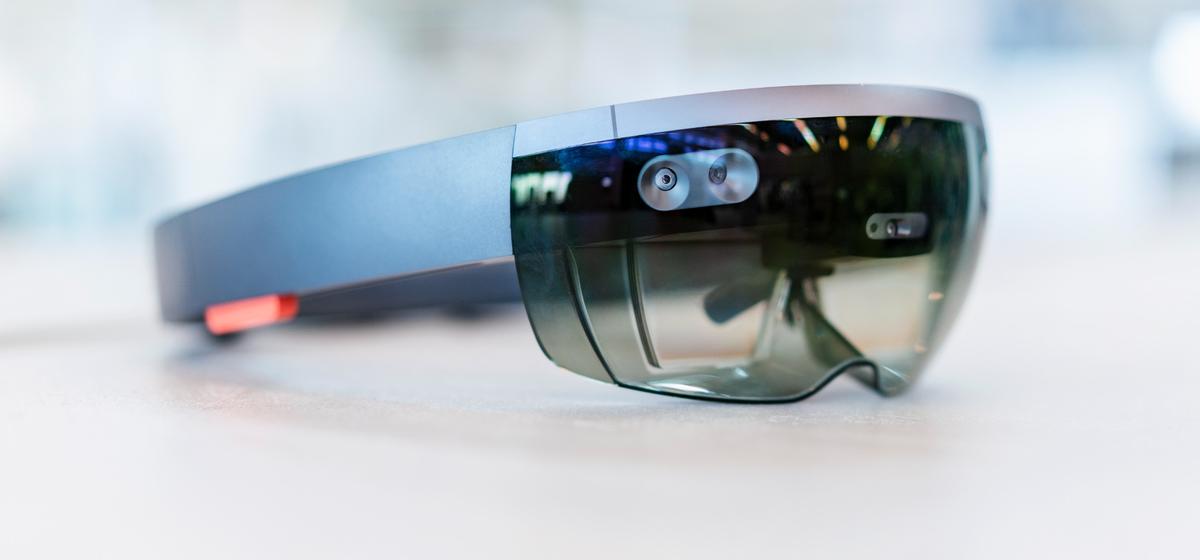
What is HoloLens?
The Microsoft HoloLens is a mixed reality headset. With VR, you're totally cut off from your surroundings, you can't see anything in the real world. But with the HoloLens, you can still see everything around you perfectly clearly. It's like having digital objects existing alongside real objects in your own space. One of the things that sets the HoloLens apart is how it understands your gestures and voice commands. You can reach out and touch a hologram to move it, resize it, or interact with it in other ways. Or you can simply tell the HoloLens what you want it to do. This hands-free interaction makes the experience even more natural and intuitive.
How Microsoft HoloLens Works
Microsoft HoloLens uses depth sensors and spatial computing to put 3D holograms in real-world spaces. The headset keeps track of its surroundings in real time, so holograms stay in place even when you move. This lets teams work hands-free and stay aware of their environment while moving.
Core Capabilities of HoloLens and HoloLens 2
To accurately position holograms, the HoloLens and HoloLens 2 use cameras, microphones, and an inertial measurement unit. The HoloLens 2 is better because it has a wider, 52-degree field of view and reacts faster. This aids precision tasks in areas such as manufacturing and healthcare. The improved lenses and comfortable design allow users to work for longer periods with less fatigue while doing things such as training or inspections.
How HoloLens Smart Glasses Map and Understand Space
These smart glasses scan walls, machines, tools, and surfaces with spatial mapping to create a digital model of the area. This model lets holograms line up correctly with real-world objects, which really helps with things like maintenance instructions or putting equipment together. The spatial mapping updates in real time, making operations in factories more exact.
Interaction Models in HoloLens: Hand Tracking, Voice, and Gaze
Microsoft HoloLens uses three ways to interact. First, it sees your hand movements like pinches and grabs, letting you touch and move holograms. Second, it takes voice commands using Microsoft's speech tech, which is great when you can't use your hands—like in clean rooms, dangerous spots, or if your hands are busy. Third, it watches where you look to pick things, which makes quick choices possible, especially when doing field checks.
Microsoft HoloLens' workflow design allows teams to tackle complicated projects clearly. Its many built-in features make the HoloLens 2 a dependable tool for business.
Key Applications of HoloLens Across Industries
Microsoft HoloLens is catching on because it offers real-world benefits, like boosting and cutting back on maintenance delays. It helps people work together from different locations, provides training without needing to use hands, and shows content in a mixed reality format. This makes it useful in areas like engineering, healthcare, manufacturing, and work done out in the field.
Industrial Training and Remote Assistance with HoloLens
The HoloLens 2 is a popular tool for skill training. Trainees can learn by following holographic instructions shown on top of real equipment. Also, remote experts can see what the user sees through the built-in cameras and guide them using holograms. Some major industrial companies have reported much shorter training times when they use mixed reality to learn procedures (Source).
Design, Engineering, and Prototyping Using Microsoft HoloLens
Microsoft's HoloLens allows for viewing of 3D models in real size, speeding up design reviews. Instead of only viewing screens or using prototypes, groups can walk around holographic objects and examine the form, placement, and function. This mixed reality prototyping helps catch problems early, saving money and time in development.
Healthcare, Field Service, and On-Site Support Powered by HoloLens 2
The HoloLens 2 is useful while planning surgeries. Holographic images assist doctors in grasping anatomy and surgery steps. Repair techs in the field use holographic guides and help from remote experts. This reduces mistakes and makes things more consistent, mainly when work is spread out.HoloLens workflows improve clarity and cut down on interruptions in various industries. This helps both on-site teams and remote workers.
Comparing HoloLens, HoloLens 2, and Other Smart Glasses
Mixed reality headsets come with features that differ a lot. The Microsoft Hololens has some advanced spatial computing, which you won't find in regular smart glasses. Those usually only show notifications or basic AR. When firms consider adopting this tech, they usually check visibility, speed, and system compatibility before adopting a device that can scale for enterprise use.
What Sets Microsoft HoloLens Apart from Other Smart Glasses
Holo glasses give you a real mixed reality experience because they sense depth, use spatial anchors, and keep holograms in place. Many smart glasses just have simple overlays and can't handle complicated 3D placement. A big plus is that the holo glasses work on their own—no need for extra computers or wires, which is a major advantage in operational environments.
Cost of Microsoft HoloLens and ROI Considerations
The cost of Microsoft Hololens varies based on region and enterprise licensing. While the investment is higher than some AR glasses, organisations often recover the cost through reduced training hours, lower rework rates, and streamlined maintenance operations. Several industry analyses highlight mixed reality’s positive ROI in manufacturing and field service settings (Source).
HoloLens vs AR Headsets in Enterprise Environments
For firms that need spatially anchored instructions or full-scale design visualization, the Microsoft HoloLens remains a solid option. It works well, has a solid group of developers supporting it, and offers accurate hologram placement and natural interactions. This makes it better than some AR headsets that have smaller viewing areas or poor tracking.
These comparisons help organisations in matching device abilities to their current needs and their goals for digital change in the future.
The Future of HoloLens and Enterprise Mixed Reality
Mixed reality is changing fast because of improvements in spatial computing and AI. The next Holo Glasses should be lighter, have clearer holograms, and work better with cloud services. AI will do more in Microsoft HoloLens, like automatically finding objects, helping with work steps, and making training fit each person. Using mixed reality and AI together is becoming more common in industries where following rules closely is important. The future of Microsoft HoloLens will depend on companies using it, better AI, and improved hardware.
Want to know more about MR and HoloLens solutions?
Connect with AutoVRse to understand how enterprise-ready MR and HoloLens solutions can be built.
