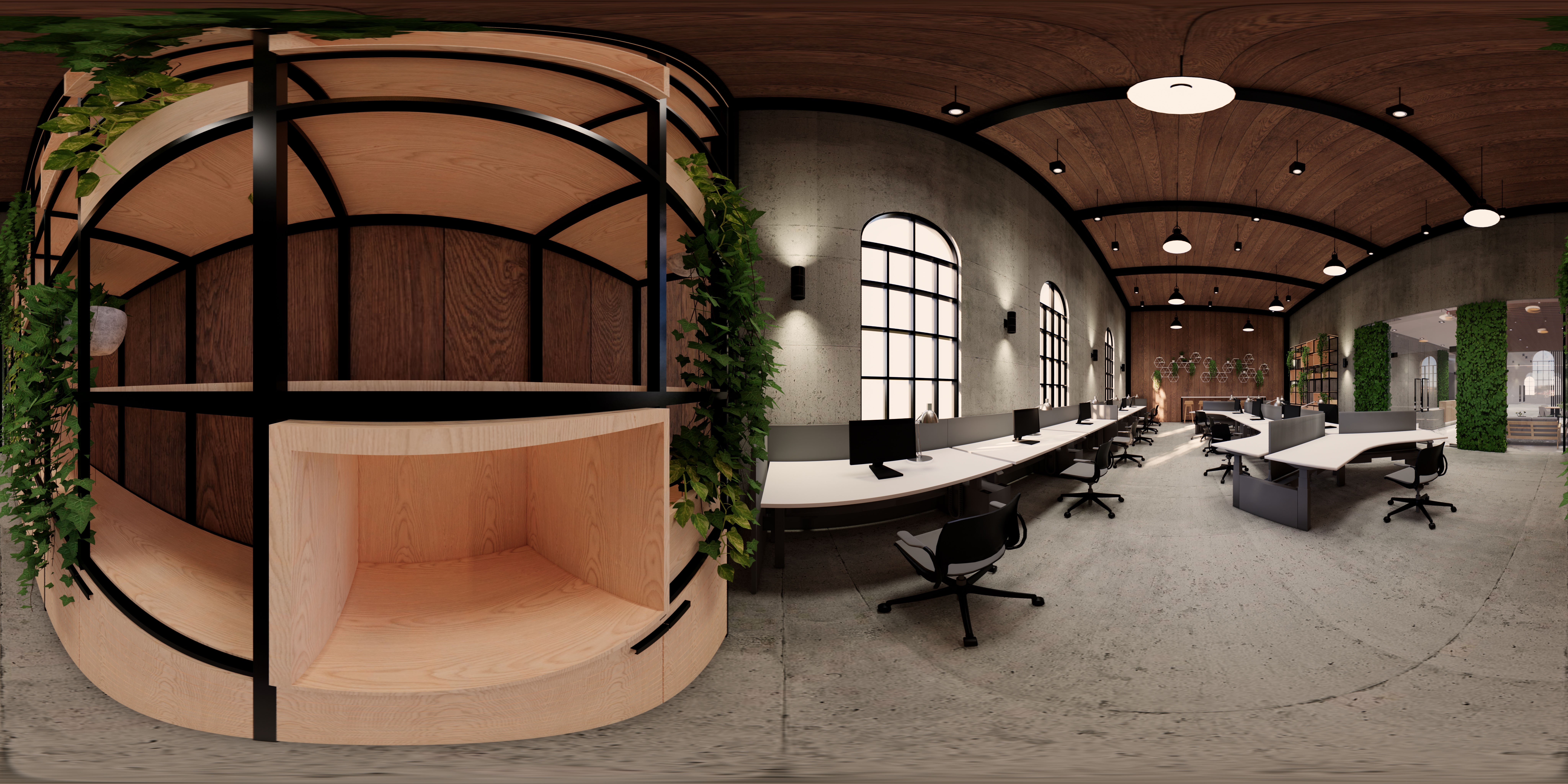
What is 360° Video?
360° video provides an immersive experience unlike traditional videos. Instead of just seeing what's in front of the camera, it records everything around it – a full 360-degree view. This allows viewers to explore the scene from any angle they wish, simply by panning around. The true magic of 360° video comes alive when viewed with a virtual reality (VR) headset. When experienced this way, the video transports you to the location, creating a sense of presence that's far more powerful than watching on a regular screen. This feeling of being there has some interesting and practical applications.
How 360° Video Works
360° video uses special cameras with many lenses and software to stitch everything together into a seamless sphere. It's a simple concept, but the tech behind it has improved fast. Now, VR 360 systems support higher resolutions and handle light better, so job training and virtual tours look sharper.
Capturing VR 360 Footage with Multi-Lens Cameras
Professional 360° cameras use several wide-angle or fisheye lenses to record everything around them. Each lens records part of the scene, and the camera puts these parts together to create a full spherical image. Cameras now use matched sensors to reduce distortion, which makes them more precise for things like safety training and site surveys.
Stitching and Rendering for VR Videos 360
Once captured, the video segments are stitched together using dedicated software. The stitching process makes the overlapping sections blend smoothly and fixes any distortions, helping the 360 VR video look real. High-quality stitching is key in factories since even small alignment errors could mess with seeing risks or judging distances.
Playback Across Headsets and Mobile Platforms
Once the 360° video is ready, it can be watched on VR headsets, computers, or phones. Headsets give the best experience since people can move their heads to look around, making training feel real. Mobile playback allows accessibility for field teams to easily watch videos when they need to quickly learn about locations. Many headsets work with 3D VR video, particularly Meta Quest and Pico, so it’s simpler to get things set up for teams everywhere.
360° video workflows allow for a training setup that is scalable and be used in many places.
Key Features of 360° Video Experiences
A strong 360° videos need to be clear, have consistent spatial elements, and react to movement naturally. Businesses use them for training, onboarding, and recording remote locations. How good the VR 360 experience is has an impact on how engaged people are and how much they remember.
Immersive Field of View and Spatial Accuracy
With a 360° view, workers can check out locations as if they're actually there. Spatial accuracy is key, especially in tricky jobsites where trainees need to spot minor details like signs, gear setup, or walking paths. Sharp sensors and image stabilization keep the captured area true to size.
Directional Audio in 3D VR Video
3D VR videos often use spatial audio to mimic how sound works in real life. Sound clues help trainees pinpoint noises, machines, alerts, or spoken directions. Research shows that using directional sound can boost memory recall by over 20% in VR safety training (Source).That makes this kind of audio a must for realistic simulations.
User-Controlled Perspectives for Training and Storytelling
In a 360 VR setting, folks get to look wherever they want. This natural control helps them understand things better than if they were just watching a regular video. Say someone's training to inspect a warehouse; they can check out the aisles, racks, or forklifts if they want. This freedom to look around helps people think more carefully and become more aware of their surroundings.
These features work together to make learning interesting and can be used in many training programs.
Applications of 360° Video Across Industries
Many groups in manufacturing, logistics, infrastructure, and healthcare are starting to use 360° video. It helps them train people faster and cut down on mistakes. This video type is easy to handle and doesn't need a lot of fancy features, so it's great for getting it out to a lot of people quickly.
Safety Training, Inductions, and Field Walkthroughs
360° video is a common tool for acquainting employees with dangerous work environments before they start working. Companies are making virtual reality 360 tours to show things like emergency exits, work zones, and possible dangers. One study about immersive learning says that safety training in VR can help folks remember 43% more than if they watched regular videos. (Source).
Marketing, Brand Storytelling, and Product Showcases
Companies are using 360° videos to produce engaging ads and product demos. Automotive firms, for example, are using 360° VR videos to provide virtual test drives and interior tours. With these formats, potential buyers can get a feel for a car's features without needing to visit a dealership.
Remote Collaboration and Virtual Site Visits
Engineering teams frequently use 360° documentation to check on building progress or gear setups. The 360° view lets experts far away check things closely, meaning they don't have to travel to the site as often. This speeds up decision making and cuts down on running costs.
Education, Tourism, and Cultural Immersion
Universities, museums, and tourism groups use 360° experiences to make virtual field trips and historical recreations. These videos let learners and visitors check out places they might not be able to go to in person, giving them helpful background for understanding different cultures.
360° video's adaptability has allowed many fields to quickly grow content creation while keeping training consistent.
The Future of 360° Video
360° videos are moving forward, and there are a few things we can expect to see happen. First off, the video quality should get better. We're talking sharper images and clearer details all around. Also, making 360° videos should get a lot easier. A lot of the steps that used to take time could be done automatically. This means that creators could put out a lot more content a lot faster. Then, 360° videos are going to fit together a lot better with virtual reality. The experience should be smoother and more immersive.
AI-Assisted Editing and Automated Scene Recognition
AI is changing how we work with 360° video. Now, computers can automatically see what's in a video, follow how things move, and even adjust the brightness. This is a game changer for industrial VR training. Imagine creating a factory VR course used to take forever, watching videos frame by frame to spot safety issues and workflow problems. Now, AI automates this, finding scenes like loading docks or assembly lines. It checks for missing safety measures or unsafe actions and even tracks movement to expose bottlenecks. AI fixes lighting too, which is useful in industrial places with shadows. Better lighting makes problem-spotting easier and VR training more real.
Higher-Fidelity VR 360 Content with 8K and Volumetric Capture
Camera makers are working on 8K and even 12K to get sharper pictures. Clear images are really important when workers need to see tiny things. Some companies are trying out ways to capture images in 3D, but this tech still has a ways to go.
Deeper Integration with Interactive VR Training Systems
360° video is being used more in VR systems that mix watching with doing. These systems let workers view situations and then make choices or do tasks during the same session. This boosts how interested they are and makes training easier.
It looks like 360° content, AI analytics, and VR platforms for businesses are coming together more and more.
Creating VR training modules with 360° videos?
Contact AutoVRse to create enterprise-ready 360° VR video training modules for your workforce.
